Motorola Edge 70 Review | iPhone Air, Get In The Bin!
The Motorola Edge 70 is a mere 5.9 millimeters from screen to glass and weighs just 159 grams. So, it's lighter than both the iPhone Air and Samsung's Galaxy S25 Edge, while also boasting a significantly bigger battery than them both, not to mention a cheaper price tag. Here in Blighty, the Motorola Edge 70 starts from just 700 pounds, which is slashed to 450 quid if you use the code which I've slapped down in the video description. Should be good for about a week or so after this video goes live.
But is the Motorola Edge 70 still a wise purchase? Well, for the past week, I've had this skinny git slip in my pants, and let me tell you, it slips in a treat since my full in-depth review. And for more on the latest and greatest tech, please do poke subscribe, ding that old notifications bell. Cheers.
Design and Build Quality
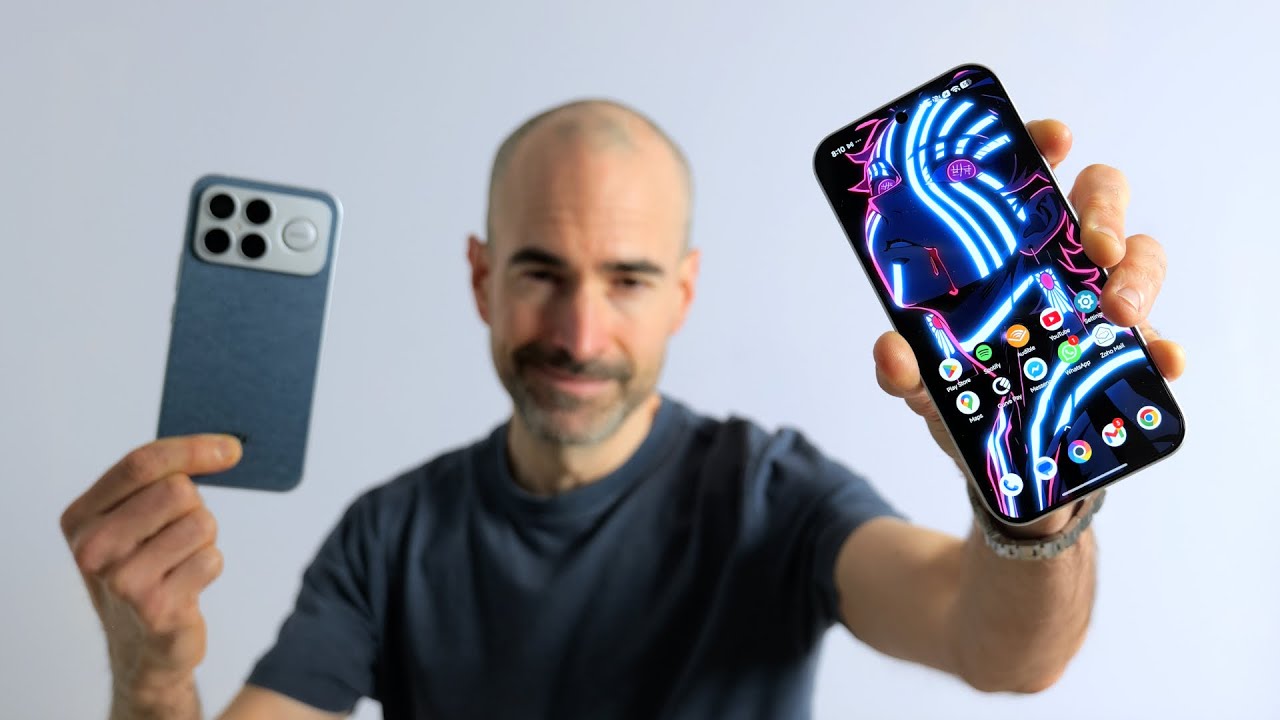
I've still got to say I've been loving the design work here on the Motorola Edge 70. If you stick it side by side with that Galaxy S25 Edge, you'll see pretty similar dimensions overall. Both supremely skinny, no doubt. And the Moto Edge 70 again sports a completely flat display, but this time you get a slightly rounded back as well, unlike the other slim phones from Apple and Samsung. So yeah, this Motorola blower feels fantastic to grasp and use one-handed, helped along by the ridiculously lightweight finish. It doesn't quite feel like a 6.7-inch smartphone, especially as those bezels surrounding the screen are practically non-existent.
You've got a brushed metal finish for that frame. And then if we flip the Motorola Edge 70 around, you've got a textured nylon back end which adds some pleasing grip. And this is refreshingly resistant to fingerprints and other greasy smudges, although it is susceptible to other stains. This white smudge here, just a bit of breakfast yogurt. Nothing dodgy on us, but I need to give that a proper cleanse, try and get it off.
Colors and Durability
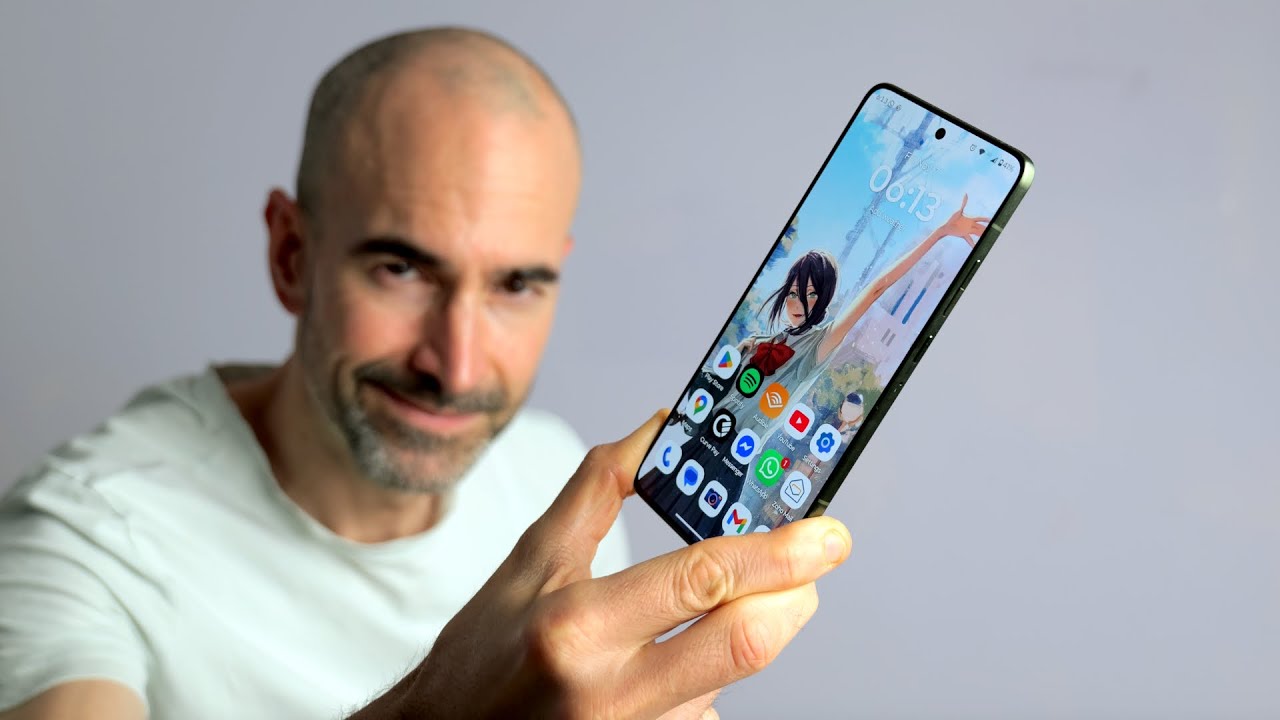
Now, as usual, Motorola has collaborated with Pantone for the various colors. And it's great to see them doing something a bit different from the norm, not just the usual boring whites and blacks, but got to say this here, bronze green effort, not one of their finest. In daylight, it's kind of a mossy color, but in softer light, I got to say it takes on the tone of a bowel evacuation of someone who ate far too many sprouts. Something we'll all be guilty of soon enough. So, it's not my personal favorite. Although, I have met other tech journos who've been reviewing this thing who really like it. So, you know, each to their own. And there are two other tones available, although it's basically another green and gray. So, not the most exciting eclectic mix.
There's no pre-installed screen protector on the Motorola Edge 70, but you do get Gorilla Glass 7i slapped on that screen. Reasonably scratch resistant. No marks so far. And apparently, the Motorola Edge 70 has passed a load of military standard 810H tests, so it can cope with the occasional extreme temperatures, a bit of full-on violence. It's also rated IP68 and 69 dust, water, and spurt resistant.
Software and Features
Now, to unlock the Motorola Edge 70, you've got yourself a basic in-display optical fingerprint sensor, which is housed down towards the bottom end of the screen. And I preferred it a little bit higher up, but it's absolutely fine. It tends to work even if your digits are a wee bit moist though. Has a couple of times screwed up when my fingers have been rather oily.
And once you're in there, it's a refreshingly stock version of Android 16 out of the box. And Motorola is guaranteeing four major OS updates and 6 years of bimonthly security patching. Of course, they're not always the most timely when it comes to updates. You might be hanging around a wee while for some of those upgrades, but it's good to see them finally following other brands and really committing to updating their existing smartphones rather than just being like, "Yeah, there you go. There's new thing. We'll sort of maybe keep it updated for a couple of years-ish."
You got a minimum 256 gigs of storage. You can upgrade that to 512 gigs like my review model here if you like. Always good to see. And as I say, it's a mostly stock Android experience here. No heavy launchers sat on top. Just a few little tweaks here and there to make it Moto-fied. You do have separate drag-down notifications and control center which I know does irk some people. And I can't see any obvious way of changing this either, but you can edit the quick settings if you want to.
And as always, Motorola has snapped a small number of its own apps on here as well just to enhance the overall experience. For instance, the good old Moto app, which mostly just acts as a kind of a hub for all of the main stuff you might want to do like personalizing your smartphone, including the layout and right down to the good old fingerprint animation, although as usual, not many options there. One of the best bits as always, the fantastic gesture support, comprehensive. And of course, you've still got the GOAT, my personal favorite, Fast Flashlight. You've got a dedicated gaming mode. You've got tools for streaming content wirelessly from your phone to other devices and also quickly sharing files with laptops, etc. It's a pretty good sack of stuff. Well worth checking out.
Moto AI
And of course, you've got the now obligatory Moto AI shenanigans, which for some reason the Moto AI app is not tucked away in that folder. But the Moto AI stuff is also tied into this physical key which you've got over on the left edge of the phone. So if you long press this, it'll bring up the Moto AI hub. You can jump straight into some of the major features. If you tap more actions, then this does expand out. And some of these are genuinely useful.
So, for instance, the likes of "Remember This." It's basically similar to Mind Space on Oppo and OnePlus. The Essential Space on Nothing Phone. Quite a lot of the big brands have their own version of this. Now, this can remember any information that you stumble across that's absolutely vital that you store away for later. You can add little voice notes, etc. as well. Ticket prices for Download 2026. This is then stashed away in your Motorola Edge 70. You can recall it at any time. You can also search for information quickly and easily. It's particularly handy if you've saved any travel information, schedules, etc.
You're also sorted for AI assistance as Gemini is jostling for space with Co-pilot complete with full vision support if that's your bag. You've also got "Pay Attention" which can listen in when you're in a meeting or whatever and transcribe what's being said in real-time and then provide you with a brief summary at the end of it all. But it only really works if you're quite close to whoever's speaking. In this case, I would say I was about sort of 7 meters across the room from the speaker. And as you can see, I identified them as multiple speakers even though it was the same person. And they also had a bit of an accent. So variable results to say the least. Also included all of the ums and ahs which I kind of hoped it would remove. So anyway, Moto AI like most AI at the moment, bit of a mixed bag. Some of it works pretty well, some of it not so much, but I did do a full dedicated video on Motorola AI if you want to hear me banging on more about all of that.
Gripes and Bugs
Now, I do have a few wee gripes with the Motorola Edge 70, including the growing selection of crapware that's coming stashed on these things. It's likes of LinkedIn, Facebook, all of the bog-standard stuff. We now get an extra guff like Temu infiltrated on here, too. Motorola is certainly not as bad as some brands out there, but let's just hope it doesn't get any worse.
And also, if you like an always-on display like myself, well, you're out of luck because it's just the sleep display here on the Edge 70. So, basically, you have to poke, prod, or gently nudge this smartphone in order to actually see if there's any notifications waiting for you.
And using the Motorola Edge 70 as my full-time smartphone this past week, certainly noticed a few bugs. So for instance, sometimes I'll be playing a bit of audio on Spotify, Audible or whatever and yet that media panel in the control center will swear that nothing is going on 'cuz it's behaving absolutely bloody fine. Now I'm having to demonstrate it typically. Also occasionally Motorola's keyboard will just give up on life and bugger right off out of it when I'm halfway through entering my PIN or password or something. But then the Moto keyboard, not great anyway to be fair. Just replace that with Gboard is my suggestion. So I still very much a buggy experience I guess 'cuz it's only just been updated to Android 16. Hopefully, we'll get a couple of patches coming in soon that'll squash most of these annoying little bugs.
Display and Audio
But no griping from me when it comes to the 6.7-inch AMOLED screen slapped on the front end of the Motorola Edge 70. It's pleasingly crispy. 2712 x 1220 pixel resolution. So photos look nice and sharp, packed with finer detail. Your movies look crispy. Games look great as well. Apparently, this panel is Pantone validated for accurate color reproduction. They're bright and poppy on the default vivid display mode, but you can mess around to some degree with the colors, play around with the color temperature, etc. And Motorola insists you've got full HDR10+ streaming support, even if Netflix completely denied this at the time I reviewed the Edge 70.
Yeah, gorgeous contrast, nice deep inky blacks, crisp, clean whites, and this is a proper bright smartphone screen as well. Had absolutely no troubles whatsoever seeing what was happening even outside, even on a sunny day, which we did actually have in November in the UK. Sounds like bollocks, swear to God, actually happened. You do also have a flicker prevention feature and a bit of nightlight action as usual. So you can just drain the blue light out of this thing. Give yourself a more comfortable, easy-on-the-eye evening experience. While the bedtime mode by default turns it full monochrome.
And unlike the likes of the iPhone Air, you do actually get a full proper stereo speaker setup here. So the audio isn't actually total trouser, boosted by some Dolby Atmos support. You got to say the speakers not bad at all for something so slender. Don't expect much bass out of this thing obviously, but absolutely fine for just enjoying some YouTube or Netflix or whatever. If you want to listen to some music, of course, hook up some Bluetooth headphones or a Bluetooth speaker. It's been absolutely fine for streaming music, podcasts, all that sort of stuff to Bluetooth headphones and speakers, but when I was doing a bit of gaming, I did notice it was quite a jittery experience at times when I was streaming to Bluetooth headphones. So, I just gave up on that. Again, hopefully just some early bug.
Performance and Gaming
Now, speaking of gaming, when it comes to the performance, you've got a Snapdragon 7 Gen 4 chipset running the show here, backed by either 8 or 12 gigs of RAM. I've been reviewing the 12 gig model, and this is the same mid-range Snapdragon chipset that's bunged inside of the Vivo V60 and a small handful of Realme smartphones as well. Then it's a pretty good choice for the Motorola Edge 70 because it's pretty energy-efficient, but it's not really a slouch either.
Now, the everyday experience on the Motorola Edge 70 has been absolutely fine. Barely noticed any jitter or pauses. And if you are a gamer, well, you can get gaming on the likes of Wuthering Waves on the regular graphics settings with the turbo mode active. And this keeps the game just about smooth enough to be playable. Although that frame rate does noticeably drop at times when the action is pretty intense, so it can get a little bit rough at times. You can do it if you absolutely want to, but I would say certainly maybe stick with titles like PUBG, Call of Duty Mobile, stuff that is optimized rather than diving face-first into a massive open-world extravaganza like Wuthering Waves.
And the Edge 70 comes packing a dedicated gaming mode as well, courtesy of Motorola. This offers up three different performance settings as well as all the classic bangers. So, you can quickly tweak the brightness. You can block notifications. You can record all of the action with the option of a wee selfie window showing your gun and face as you punch angry Gribblies right in the happy sack. Complete with your commentary as well if you bother to switch on the mic.
Battery Life
But for sure, the big whoop of the Motorola Edge 70 is the huge great 4,800 milliamp silicon-carbon battery that they've managed to stuff into this skinny chassis. And this absolutely empties its metaphorical bowels all over the tiny cell that Apple and Samsung have stuck inside of their iPhone Air and Galaxy S25 Edge. So, the good news is this past week when I've been testing this as my full-time smartphone, I've had absolutely zero battery anxiety. I'm certainly quite a heavy user in general, especially as I'm testing these things out for a review. So, I need to be using them as much as possible. I found that even myself with six or seven hours of screen-on time a day, fair bit of camera play, usually good bit of video chat and all that kind of stuff, I still ended most days with at least 20 to 30% battery life remaining. Meanwhile, the exact same usage on the iPhone Air and the Samsung Galaxy S25 Edge, they were typically dead by dinner time.
Now, if you want a more precise idea of just how long the Motorola Edge 70 can last, well, for instance, if you're video chatting with loved ones in the likes of WhatsApp, you'll typically see that battery drain around 15% in a single hour. So, using my immense mathematical powers of deduction, uh, it's also 6 and a half-ish hours of non-stop video chatting. And likewise, even gaming on the most demanding titles like Wuthering Waves on their default visual settings with the turbo performance mode switched on, you can expect around 5 and a half hours of non-stop gaming before this thing finally cops it.
And if you do find yourself running low on juice, well, no worries because the Motorola Edge 70 also faster to power back up compared with skinny rivals like that iPhone Air with the 68-watt wired charging support. Although sadly, sod all support for wireless charging.
Camera Test
And now, my lovelies, how about we finish up this genuine wee Motorola Edge 70 review with a bit of a squint at their camera tech. And what you got here is a 50-meg main shooter. Not entirely sure which sensor it's using as Motorola has been rather coy on that. You do get optical image stabilization included. And as usual with Motorola blowers, you've got a whole bunch of filters and stuff in here, but you've also got a choice of two main filters, natural or signature style. And signature style is a returning feature. Basically helps you to create your own custom filter using the wonderful world of AI. All you got to do is import a few of your favorite photos either that you've taken or that you've nicked off the internet or whatever and then fiddle about with the color temperature and everything until you get it just right. And then the AI will learn from your preferences in order to create those filters on your behalf.
But personally, I just stuck with the natural setting to see how those photos would turn out. And overall, my test snaps came out rather well. The Motorola Edge 70 can suck up and reproduce plenty of fine detail for a crispy finish and also avoid saturation even when dealing with quite fierce light and strong contrast. And portrait results are usually respectable, although I did find the focus was a wee bit soft in some of my indoor shots. If you punch in beyond the two times digital zoom level, then your photo will start to look rather blocky as well. So that's best avoided.
And in low light, you will get quite blurry results if your subject isn't still but that's pretty standard to be fair and I was certainly expecting a lot more noise at night whereas the Motorola Edge 70 actually continues to capture an impressive amount of detail with a fairly fast-acting shutter. And as an alternative to that 50-megapixel main shooter, you've also got yourself a secondary 50-megapixel ultrawide. This adds an extra bit of flexibility which again you don't get with that iPhone Air and it's pretty decent. You can expect warmer tones in softer light while grain does start to creep in at nighttime, but it comes in pretty handy when you want to cram loads of stuff into frame.
Using that rear camera, the Motorola Edge 70 can capture up to 4K resolution footage at 30 frames per second. If you do want to boost it to 60 frames per second for a super smooth, hyper-realistic style finish, you will have to knock down the resolution to full HD. And got to say the audio clarity on my captured footage wasn't the best. Everything can sound kind of muffled at times, especially if there's a bit of background noise, but the visuals again aren't too shabby in lower light, and overall it will do the job for your home movies.
And last up, you've got a third and final 50-megapixel camera slapped on the front end for all of your selfie shenanigans. Again, this can capture your mug at 4K resolution at 30 frames per second. And you want that 60 frames per second effort, dial it down to full HD. Again, of course, the audio capture not fantastic. So, certainly if you are video chatting, I would recommend using some headphones.
Verdict
And there you have it, my lovelies. That in a delicious wee nutshell is the Motorola Edge 70. My full review after using it as my smartphone for the past week. And hands down, it's the best slim smartphone of 2025. Although that's not exactly saying much because the iPhone Air was pretty cack and the S25 Edge was just let down by that piss poor battery life. But Motorola hasn't fallen into that trap by stuffing a generously sized 4,800 mAh battery in here. So zero battery anxieties even for fairly demanding users. I also like that crisp poppy display. You've got a stereo speaker setup which actually isn't bad and I love the stock Android vibes as well.
Of course, it's far from perfect. Is quite a buggy experience right now. So, I'm hoping quite a lot of the issues I've experienced this past week will be sorted out in updates imminently, but certainly if you manage to grab it in that early bird offer, it's a bit of a bargain if you're looking for something that's beautifully slim and lightweight. Just really pleasing to use one-handed. So, yes, that's what this bold knackered northern git reckons of the Motorola Edge 70. Grit your thoughts down in the comments below. Please do poke subscribe and ding that notifications bell for more on the latest and greatest tech and have yourselves a ruddy wonderful rest of the week. Cheers everybody. Love you.