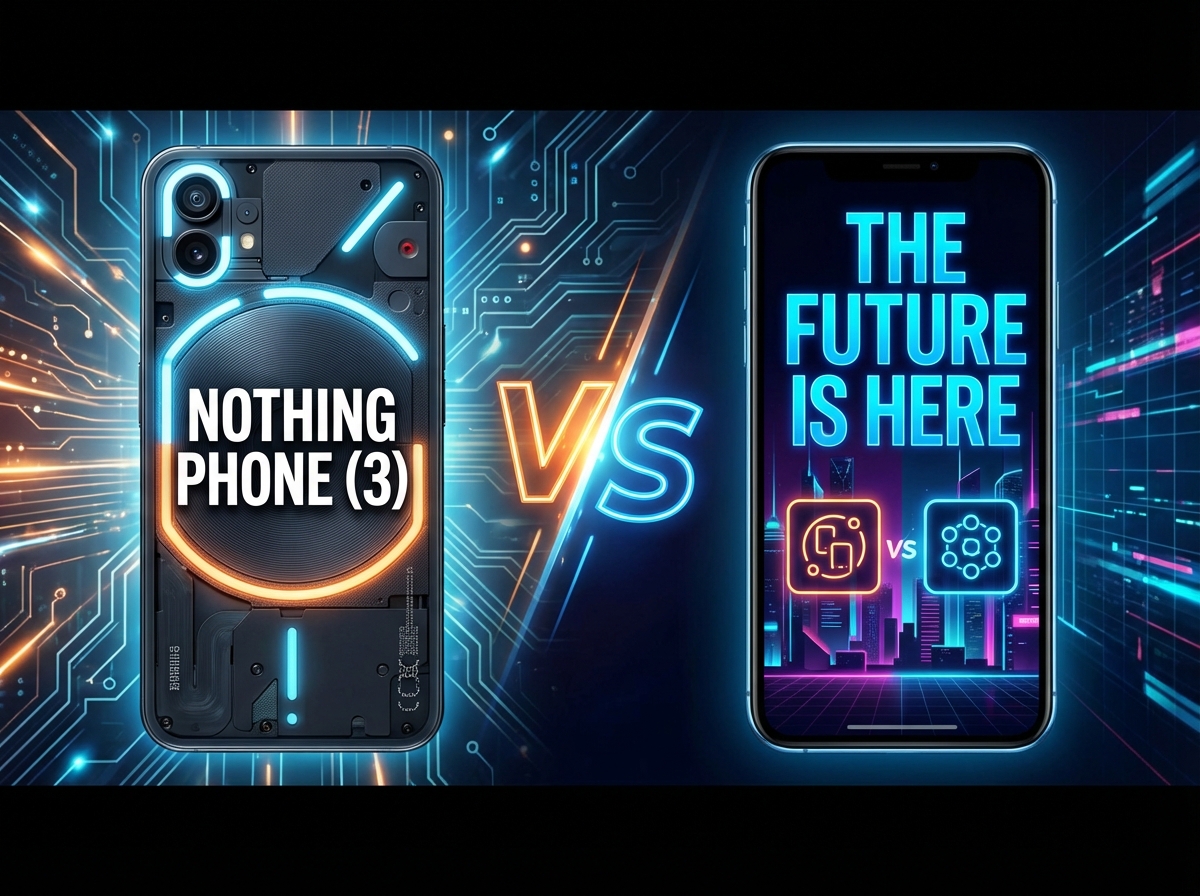
Nothing Phone 3 Review | Literally Hottest Phone Of 2025
Now, I've had my SIM secreted inside of the Nothing Phone 3 this past week. So, is it actually any good or is it just a hot gimmicky mess? Well, here's my full review.
Price and Box Contents
Now, if you want one of these literally flashy gates, it'll set you back 799 quid or $8.99 if you want half a terabyte of storage. But first up, what do you get in the box? Well, naturally, you've got yourself a Nothing Phone 3. And you've also got yourself a type-C to type-C USB cable, the Nothing branded one with a transparent tips. Woof. A good old EU rating sheet. As you can see there, it's rated A for energy efficiency, but only a C for durability and repairability. You also got yourself a transparent pokey SIM pin thing. And nothing has also very kindly bundled a condom case that you can wrap around your phone 3. keep it safe from home. But naturally, this is completely transparent, so you can still see all of that lovely design. You got cutouts for the camera lenses, as well as the glyph matrix and that button there. And there you have it. That's everything stuffed in the box.
Design and Build
So, now let's check out the Nothing Phone 3. So, let's begin with what's made the internet most angry this past week, the Nothing Phone 3 design. and the way that Reddit has been absolutely raging this past week. You'd have thought that Cole Pier had gone and diddled their mums or something. But anyway, you've got the usual iconic transparent design in either black or white. And according to nothing, this new look apparently celebrates symmetry with geometric flare. Or according to the internet, it's a personally floating somewhere between those two camps wedged right in that middle crack. The Nothing Phone 3 is certainly as distinctive as ever, which I quite like because I just finished reviewing the OnePlus node 5 and sweet baby Jesus, that phone is about as plain jane as it gets. But on the flip side, I do also prefer the slightly less erratic design of the cheaper phone 3a, especially as it comes in that gorgeous blue finish. Whereas, yes, for the flagship, we are sadly back to good old boring black and white. But I got to say, when I first saw those leaked images of the Nothing Phone 3, I too was like maybe they've gone a bit too far this time, but actually haven't had it in my pocket in my hand this past week. I don't know, maybe I've just got accustomed to it or something, but it doesn't look quite as ugly chuggly as it originally did. Believe that's an expression all the kids are using these days. However, the Apple influence still seems to be seeping through. I got to say the Nothing Font 3 is still a bit too eye for my liking. It's a big old brick with flat edges and only moderately curvy corners, but at least the bezels surrounding the Nothing Phone 3's screen are pretty skinny. Oh, and the Nothing Phone 3 is as slippery as previous buggers as well. So, just as well, it's reasonably durable. You got Gorilla Glass 7i up front. You got Victus around back. Not quite a match for many other flagships which tend to use a Gorilla Glass Victus 2 or a bit of armor or something, but you know, still pretty scratch resistant and hopefully won't shatter to bits if you do drop this bloody thing. And yes, thankfully IP68 water and dust resistant and be fully submerged in the drink. No worries.
Glyph Matrix
Now, the big whoop here is of course that glyph matrix which replaces the glyph lighten of year. And this matrix is basically a cluster of 489 white LEDs. There's absolutely no color to speak of sadly. And I was certainly expecting a much bigger display considering that old glyph lightening shenanigans stretched right across the entire back of each phone. And certainly something more akin to what Asus slaps on its premium ROG phones, which is even big enough to play games on. So what can this Dinky Delight actually do? Well, first up, you've got full notifications support as usual. So, you can flip the Nothing Phone 3 over to enter do not disturb mode. So, the Nothing Phone 3 will stay silent, but still alert you to any important notifications with your glyph matrix. And you can set the rules on exactly which apps and contacts are allowed to disturb you inside of the essential notifications menu. So, for instance, that glyph matrix will only flash if I get a work email in, somebody WhatsApps me, or I've got someone trying to call me. It's a fantastic if this, then that style setup, and I do enjoy also how you can assign specific icons to individual contacts or apps. The selection here isn't exactly absolutely massive, but it's enough to be getting on with, and you can actually dive into the custom section and create your own glyph matrix shenanigans based on any photo you happen to have on your phone. Although of course this only really works with quite simple images. Anything more complex will just end up looking like something the cat sicked up due to the limited resolution of that glyph matrix panel. Generally works pretty well. Although a couple of times I've slapped the Nothing Phone 3 face down and just hasn't bothered to enter that whole flip to glyph do not disturb mode. Probably just early software jitters as it is pre-release. And you can also play around with a bunch of what Col and Core have called glyph toys, but which are essentially just mini widgets. You cycle through these by proddding this sort of mini button here beneath the glyph matrix. And some of these are pretty standard. So you can display the time. You've got handywe battery meter. Quite good if you are in that do not disturb mode. You've also got a stopwatch. So just long press that kicks off and then long press again to pause. It can be quite handy if you're cooking or whatever, but I would have preferred an actual timer rather than a stopwatch like what we had on previous Nothing phones. Sadly, setting off the timer in the clock app doesn't seem to do anything on the old dot matrix. And then you've got the more rando stuff like rock paper scissors for instance which I'm still not entirely sure I get the point of like am I supposed to play rock paper scissors against the phone because that's something I only really do with my daughter and wife and we don't play as a game. We do it to work out who has to do some god-awful job like emptying the cat litter or spending time with Nana and her Daily Mail inspired views on immigration. Now, you've also got a spin the bottle jobby, which is actually pretty handy if you're down the pub and you're all so wankered that you can't remember whose round it is. Just let the bottle decide who should actually get off their ass and get the loggers in. Me again, then. And then there's the old magic air ball, which my daughter is absolutely obsessed with, even if quite a lot of its replies are just vague and wishy-washy. Oh, magic air ball. Will I live to 100? Okay. Well, how about 60 then? [Applause] Okay, will I still be alive on Saturday? [Applause] That's probably not good. Better crack on with finishing my whiskey reserves then. And then last up, there's this weird matrixy mirror type jobby, which is quite low resolution obviously, but this glowing white orb here is a fairly accurate representation of my head. And more on this jobby later. And those glyph toys are fully customizable inside of the glyph interface settings menu. As usual, you can tweak the brightness of the matrix. And if you tap glyph toys, you can see exactly which ones will pop up when you cycle through by tapping that button. Just change into the list view. And as you can see, you can get rid of any that you don't want. Stick in a couple of extra bonus ones. Solar clock and the the old spirit level. And you can also light up the glyph as a sort of makeshift torch if you're stumbling around in the dark, which isn't quite as blinding and fullon as the actual camera flash. And nothing has of course released the SDK for the glyph matrix out to the community. So you can expect some more glyph toys and other random bits to pop up over time. And I got to say, I do prefer that glyph matrix to the old glyph lightening for the likes of notifications because you can actually tell from a quick glance what it is that's popped in. if it's a WhatsApp message or an important message from one of your key contacts rather than this just random epilepsy inducing flashing from the various lights that were scattered all over the back before which yeah it took you a wee while to remember oh what does dot dot dash dash dot dot mean for those glyph toys well as I say occasionally you bust out the stopwatch and my daughter revels in that eightball but apart from that they generally go neglected definitely feels more of a gimmick than anything else
Software and Interface
Right now that side, most of the rest of the phone fairly conventional. So you've got your indis optical fingerprint sensor. Not an ultrasonic effort sadly, although I've had very little jip from this this past week. As long as my hands aren't too moist or grubby, generally quite effective, pretty responsive as you can see there. And nothing OS itself hasn't really changed up too much for the Nothing Phone 3. You've got the usual interactive widgets and dot matrixy vibes. Apparently, nothing OS version 4 will be coming later in 2025. Hopefully, we won't be waiting too much longer for that. And you can expect a total of five OS updates for Android and 7 years of security patching. So, not far behind the leaders, Google and Samsung in that area. And I do still really like the mostly stock Android vibe, the overall style, the monochromatic icons with just the usual small handful of complaints. Like for instance, the sounds on this thing are absolutely freaking atrocious. They're just absolute aids for the ears. I mean, to be fair, the default alarm sound will have you absolutely leaping out of bed in the morning, but you won't be springing up joyful at the prospect of yet another day of existence. You'll just be leaping up to silence this bloody thing by hoying it out theing window. But in less morning news, we actually finally have eim support. Hooray. And the Nothing Phone 3 also, unsurprisingly, sports the same essential key as the Nothing Phone 3A devices. So, if you come across some information you want to save, you can record it with a quick tap of that essential key. You could also add a note, add a voice recording just to give it a bit of context. And then that information is saved away in the essentials space. You can quickly recall it at a later date. Unfortunately, on this pre-release unit, none of the actual AI functionality seemed to be working. So, on the Nothing Phone 3, it didn't do what the 3a would do, which was go through each screenshot and sift out important information, set up tasks, create map views for me, all kinds of great stuff. Again, I'm assuming that's just because this is pre-release software, but I'm not really sure why it's not working on here when it was working absolutely fine on the Nothing Phone 3A.
Display and Audio
and a pretty decent display slapped on the Nothing Phone 3 as well. It's a 6.67 in AMOLED panel with a 1.5K resolution, so quite big, but still reasonably crispy and certainly quite a poppy display and bright enough to work in any climate as well. With auto brightness enabled, I had no troubles seeing that screen with my shades on, even with some serious sun glare, and was also comfortable to view in low light scenarios as well. And nothing claims it's got HDR10 plus streaming support, although this certainly wasn't enabled in Netflix while I was testing it. And the refresh maxes out at 120 Hz, although apparently it is just LTPS tech, not full-on LTPO. And nothing did mention that it actually scaled back the PWM demon from 2160 Hz to just 960 Hz, which to be fair is still a lot better than some rivals like the Google Pixels. As for that stereo speaker setup, well, it's a proper banger here on the Nothing Phone 3. Let's max out that volume. Short ask me, it's a 5 foot 10 in if I'm wearing fairly thick heels. And put it this way, whenever I'm in a supermarket, I have to ask normalsized people to fetch things off the top shelves for me. So, on peak volume, nice and loud, but doesn't lose anything in the clarity department. Those vocals still come through nice and crisp and clear and well balanced sound as well. uh earpiece speaker doesn't let the side down and Bluetooth streaming's been absolutely fine as well, but no apparent support for Dolby Atmos or anything, nor fine tuning to be found inside of the sound menu, which is quite surprising considering nothing normally puts in a fair bit of effort on that side of things when it comes to its headphones, earbuds, etc.
Performance and Thermals
But moving on to performance. Yeah, another area that's had all of those lovely Redditors punching walls and kicking cats this past week because Colon Core have shunned the Snapdragon 8 to Elite, which is of course the choice chipset for flagships in 2025, and instead gone with the Snapdragon 8S Gen 4, which is more typically found in mid-rangey phones. But my main concern with the Snapdragon 8s Gen 4 wasn't the fact that it's not as powerful as the 8 Elite, but rather just how hot it runs in other phones that I've tested before, the Nothing Phone 3. And sure enough, this handset gets toastier than Satan's ball sack around the top edge after just 15 minutes of gaming on weather and waves, albeit with those visuals boosted all the way to the maximum levels. I actually got to the point where it just wasn't comfortable to hold anymore. That top edge was positively searing. My fingers were sweating. This is usually the one part of me that doesn't bloody sweat loads. Thankfully, I only noticed a few drops in the frame rate despite those extreme temperatures. The game actually kept on running. And on the plus side, the Nothing Phone 3 will be a must-have accessory come December time. Don't worry about a winter fuel allowance. Just toy in some Genchin Impact and your entire house should be as toasty as the Bahamas in no time at all. And I did also notice when I was shooting a lot of 4K 60 frames pers video with the HDR switched on that that screen dimmed down pretty fast as well. You can override this with a quick tap of that display, but it's just another measure to try and prevent this thing from overheating and bursting into flames. Still gaming on the likes of weather and waves with lower graphics settings and the likes of Call of Duty and PUBG Mobile, no problem whatsoever. Doesn't get quite as toasty as that. And you do have a basic gaming modes as usual to help block notifications, make sure you're not disturbed. You can record the action and also lock that screen brightness. But yes, certainly if you are a gamer, I would highly recommend looking to alternative flagships or even some mid-ranges perform better than this thing.
Battery Life
Now, chucked into that chunky frame, you've got a 5,150 mAh capacity battery, and I found this has performed absolutely fine. I tend to finish most days with approximately 30% charge left in the tank and that's with, you know, a good six or seven hours of screen on time, plenty of Spotify or audible streaming in the background, good bit of Android Auto action, usually a bit of video chatting, plenty of camera play, etc. The only way I could reliably kill off the nothing phone 3 in a single day is if I got gaming on the likes of weather and waves again, in which case not so hot. A full charge of this battery will give you roughly 2 and 1/2 hours of gaming on weather and waves with the performance mode switched on and with those visuals scaled all the way up. And even without the performance mode on, you won't get much more. And when you are running lower, you got 65watt wide charging support, which ain't bad at all, is beaten by quite a lot of Chinese rivals of course, but still beats the crap out of Samsung, Google, and of course, good old Apple. They do have basic 15watt wireless charging support, too.
Camera System
And so, kitties, let's finish up this lovely Wii Nothing Phone 3 review with a squint at the old camera tech there. And what you've got here is a triple 50meg camera sensor setup. It's a 50meg one over 1.3 in sensor for the main shooter. You've then also got a 50meg telephoto lens with 70 mil equivalent focus, three times optical zoom. You do have optical image stabilization in that bad boy as well. And then you've got a final 50meg ultra wideangle shooter. All of the usual camera modes, of course. Got a bit of portrait action, bit of macro snapping using that telephoto shooter. Got a fresh new action mode for all of your more mobile subjects. And if you flick to more, you will find you've got a couple of extras, including an expert mode. And yes, you do have full RAW format support, although no focus peaking or anything like that. And I found that in auto mode, the main shooter on the Nothing Phone 3 can pump out some rather nice looking pics regardless of how good or that lighting is. Strong contrast is definitely dealt with thanks to the Nothing Phone 3's XTR smarts. Same as usual. Nothing does follow the Apple mantra of making everything bright, however, so you do occasionally get slight oversaturation. Lose a bit of the color detail and a bit of the atmos. You will also see a wee bit of noise popping into frame in those evening shots, but the Nothing Phone 3 can capture finer detail even when the lighting is rather dim. The new action mode does a pretty stellar job of capturing kids, cats, etc., even in quite ambient conditions like this. So though in darkest scenarios you will sometimes see a bit of blur unsurprisingly and portrait shots almost always look slick with a lovely bokeh style rubbing out of the background and reasonably naturalish skin tones. And that zoom sensor isn't up there with the very best from Vivo, Xiaomi, etc. But it is great for getting close-up portraits and cropping in when needed and usually with less saturation compared with that primary shooter as well. And then the ultra wideangle snapper perfectly fine too. Although the pics it spafs out are usually a wee bit warmer and you'll need to keep your hands super still when using this at night otherwise everything will be blurred. As for the video where you can shoot up to 4K resolution footage at 30 or 60 frames pers with HDR smarts switched on. And when you hit record, you'll notice that the red square on the back end does actually start to flash there which is quite a neat little touch. And the video quality again isn't up there with the very best, but it's decent enough on the whole. Even in quite challenging conditions, the Nothing Phone 3 can capture pretty fine detail. Although in softer light, the visuals can be quite flat, and the detail levels do drop off. Audio capture is usually clear, although sometimes sounds a wee bit processed if working against traffic noise or gusty wind shenanigans. And last up around the front end of the Nothing Phone 3, you've got yourself yet another 50meg shooter. It's going to once again record 4K footage at up to 60 frames per second with HDR smart enabled. And the microphone again does a respectable job of picking up audio. And yes, you can use this to shoot some all too finely detailed selfies if that's your bag. And I was expecting to be able to use that glyph matrix mirror shenanigans to take selfies with the rear cam, but I can't actually find any way of doing that. Perhaps I'm just being a massive dumb dumb. It has been known to happen on occasion, but I just can't find any setting to do that. But what you can do instead is you can get a timer on the go and then that does actually flash up on the matrix. You know exactly when to bust a move or whatever.
Verdict
And there you have it, my lovelies. That in a tasty wee nutshell is the fresh new Nothing Forn 3. Nothing's first fullyfledged flagship phone as they keep repeatedly banging on about. And of course, you've got that proper full-on flagship price tag now as well. 799 quid or $899 for the upgraded specs, which means that this thing is in direct competition with the likes of the OnePlus 13 and plenty of other Snapdragon 8 Elite blowers. And of course, it's not just the Elite performance. The likes of the OnePlus 13 also boast a much bigger battery and generally better specs. Whereas the one thing that makes the Nothing Phone 3 stand out is the slightly bonkers design and of course the old glyph matrix shenanigans. But is it actually enough? And I got to say personally, I'd rather have the likes of the OnePlus 13 stashed in my shorts. As much as I do actually really like the Nothing Phone 3, it's just a shame it gets quite so bloody toasty when you are gaming. But hey, here's hoping that we get some really impressive new functionality for your glyph matrix. It will be interesting to see how this thing evolves over time and the odd price drop or two would probably help as well. Anywh who, in the meantime, it'd be great to hear what your thoughts on the Nothing Phone 3 are down below. Try to make them slightly less angry than the general average consensus on Reddit. And if you would like me to compare the Nothing Phone 3 with any flagships directly side by side, the likes of the OnePlus 13, definitely let me know as well and I can make that happen.