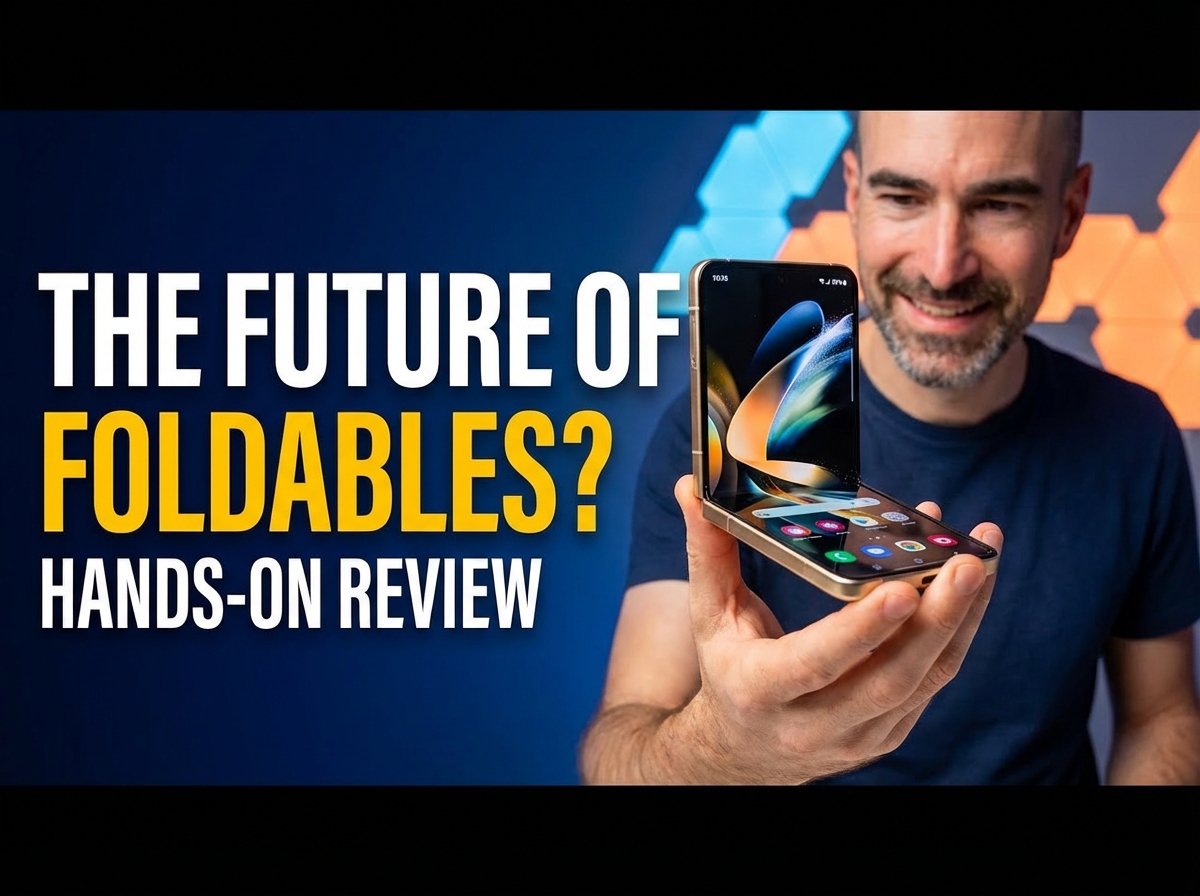
Motorola RAZR 60 Ultra (2025) Review | My Favourite Flip Phone
So, here's a wee riddle for you. What's normally 4 in, but expands to 7 in with a bit of light fumbling and is guaranteed to get you all kinds of lux if you whip it out down the pub. Why, it's the Motorola RAZR 60 Ultra, of course. My new favorite Flippy type phone boasting stupidly powerful performance, upgraded battery life, and mandatory AI shenanigans. Now for my Sims stuffed inside of this flexible git for just over a week since the US launch. This is my in-depth Motorola RAZR 60 Ultra or just Motorola RAZR Ultra if you happen to live in the States review.
Design & Build
Fans of the RAZR reboots will know exactly what to expect from this latest Ultra. It's yet another flip phone where the front end is practically all display, a 4-in panel pock-marked by those two external cameras. That front screen is ably defended by fresh new Gorilla Glass ceramic. So, while you don't have any kind of pre-installed screen protector on here, after plenty of rough handling, still no signs of damage—no nicks, scratches, scuffs, or anything. And sadly, ceramic is not anti-reflective unlike Gorilla Glass Armor. But thankfully it is plenty bright enough so that visibility is not a problem even on an incredibly sunshiny day.
The RAZR 60 Ultra boasts a reinforced titanium hinge. You've also got yourself a metal frame. And my review model boasts that lovely and rather unique wooden back. This just feels really pleasant in the hand, kind of like you're stroking a sycamore or fondling a fur. Not to mention the fact that it adds a slightly rough texture as well, just to aid the grip. Looks absolutely banging and so far again just as durable as that front end. So overall, the RAZR 60 Ultra has a rather premium vibe, but it's also reassuringly rugged, helped along by the IP48 water and dust resistance.
And as usual, the RAZR 60 Ultra not too chunky and absolutely zero hinge gap, which is the least you would expect in 2025. And yet, despite that gapless design, surprisingly easy to flip open one-handed, you don't need too much wrist dexterity.
Biometrics & Everyday Use
As for the fingerprint sensor, well, that's actually really bloody good despite being built into the ludicrously skinny power button. Super responsive and rarely fails, certainly when you're clutching the smartphone like so. And also works fine when you've got the RAZR unfolded, even if it is quite high up that edge in this case. However, that fingerprint sensor is also slightly awkward to use when the phone is sat on a desk. Now, thankfully, the face recognition tends to work pretty well when the phone is propped up like so.
During the working day, the way I tend to use the RAZR 60 Ultra is I have it sat on the desk next me like so, so I can immediately see any notifications that pop through and I can also jab the screen to skip tracks in Spotify, etc. And that front screen can do pretty much anything you need. You can add tons of different widgets to it, can check out your messages and quickly reply to them. And that on-screen keyboard is just about big enough to avoid being frustrating—though good old auto-correct does a lot of heavy lifting.
Cover Screen Entertainment
You can also play a bunch of surprisingly decent mini-games or even watch a wee bit of Netflix or YouTube or whatever. However, I certainly wouldn't recommend streaming a show or a movie on this dinky panel unless it's just some dumb comedy or something you're kind of half keeping an eye on. You certainly won't be able to appreciate those visuals unless you squint so hard that your temples start to throb, and trying to keep up with any action scenes is just likely to give you a migraine. But still, as one of the bigger flip phone cover screens out there, and with the ability to run basically any app you like on this thing, I found that as usual I could do most of what I needed to on this dinky cover without actually having to bother unfurling it.
Internal Display
Still, if you do want to put your thumb through a bit of a workout and flip the RAZR 60 Ultra open, that internal 6.7-in POLED is an absolute cracker. As usual you can absolutely still see that central crease and feel it as well when you run your thumb or finger over it, but it's reasonably subtle these days, and it's effortless to actually see what's going on on this massive screen outdoors, even when it's sunny, despite that super-glossy screen protector. Now, those visuals are crispy thanks to the 1224p resolution. While the sausage-shaped aspect ratio means the screen is perfect for cinematic shenanigans as well as a good bit of gaming on titles like Call of Duty, giving you a supremely wide point of view. You've got three different colour presets to choose between with a bit of P3 validation apparently. I certainly like the more vibrant offerings for my nerdy anime and general cartoon shenanigans. You've also got yourself a 165 Hz refresh rate, full LTPO tech as well, so that refresh rate scales all the way down to preserve battery life when needed.
Audio & UX Transitions
Those stereo speakers are pretty beefy as well. And thankfully, the earpiece speaker holds its own. So, when you are watching video with the RAZR 60 Ultra propped up on a table or a desk or whatever, the audio that is actually blasted at your face is still pretty loud and clear. And I have found that transitioning between the different states—folded, unfolded, propped open, etc.—is natural and intuitive here on the RAZR 60 Ultra. It's rarely frustrating. Like 19 times out of 20, the phone will do what you expect it to do.
Software & Support
And as usual, the Motorola RAZR 60 Ultra sports a fairly stock Android vibe with pretty much no crapware stuffed on here at all. Just a couple of little bits like Facebook. Yes, just love how it's still a lovely clean stock finish here. Although not loving the software support pledge of Motorola quite as much. Sadly, the RAZR 60 Ultra will only enjoy three guaranteed OS updates and 4 years of security patching on a bimonthly basis. That's obviously not as good as what a lot of rivals like Google, Samsung, OnePlus, etc. offer with their more premium blowers.
Moto AI
And still the little bits and features that Motorola has added to the RAZR 60 Ultra are worthy as always. You can quickly and easily personalise the phone. You've got some great gesture support, including fast flashlight. And yes, this even works when the phone is folded up, although sometimes takes a couple of goes.
Like many manufacturers in 2025, Motorola is getting itself balls-deep in AI. You can quickly activate Moto AI in a couple of different ways—easiest way being holding down the dedicated key on the left edge. This combines a smartphone assistant with a number of key features and it certainly has plenty of promise. But certainly in these early stages, it can be a wee bit shonky.
Catch Me Up & Remember This
One of the Moto AI features with the greatest potential is called Catch Me Up. And what this does is it offers brief summaries of everything that's been happening in your various message groups since the last time you checked your blower. Now, it's pretty handy if you happen to find yourself in lots of different groups and you just want to quickly catch up with everything that's been going on in just like 20–30 seconds, just make sure you haven't missed anything important. Or at least it will be pretty handy when it's slightly less shonky.
So far so good for the Remember This feature, which operates in the same sort of way as Google Screenshots or the Essentials space on the recent Nothing and CMF phones. Now, if your memory could use a little bit of help every now and then, what you can do is you can get the RAZR to remember stuff on your behalf, such as, you know, train times if you've just booked up some tickets. All you need to do is screenshot that information and then later on you can ask Moto AI, "What time is my train?" and it'll tell you.
Performance
As for the brains of the Motorola RAZR 60 Ultra, well, Motorola's managed to stuff in Qualcomm's Snapdragon 8 Elite. And I figured this would probably be the stripped-back seven-core version that OPPO used for the Find X8, but no. Apparently, it is the fully-fledged 8-core major man-sausage version. And this is the first time, as far as I'm aware, that Qualcomm's chipset has been squeezed into something quite as compact as the RAZR 60 Ultra, but it works really well. Gaming is as smooth as you like, even on absolute max settings with seemingly zero optimisation. I did find that the RAZR 60 Ultra got rather toasty along this top end when I had been gaming on the likes of Wuthering Waves for quite some time. Also, when I was video-chatting with some friends and family as well, got very, very hot up here.
Battery Life & Charging
Now, one of the major weaknesses of the previous generation, the Motorola RAZR 50 Ultra, was the less-than-stellar battery life. You had a 4,000 mAh capacity cell stuffed inside of that dinky foldable frame. Thankfully, the Motorola RAZR 60 Ultra has been blessed with a far larger 4,700 mAh capacity battery. And boy, what a difference. On my longest day with this thing, which was a proper full-on 18-hour cracker, I still ended the day with 15% battery life remaining—roughly 7 to 8 hours of screen-on time. And yes, that does include at least an hour of using that massive internal panel.
The old 45-watt wired charging has been upgraded for the RAZR 60 Ultra to 68-watt wired charging. Bung a cable in it for 10 minutes and you get a respectable bit of charge back. You do also have 30-watt wireless charging support on the RAZR 60 Ultra, but this phone refused to play nicely with my wireless charging stand.
Cameras
Last up, the camera tech. And what you've got slapped here on the RAZR 60 Ultra's front panel is a dual 50-megapixel setup, wide and ultra-wide. You've apparently got P3-validated colour capture here on the RAZR 60 Ultra, but you've got a couple of different options when it comes to the colours. I stuck with the default Natural mode, but you've also got an AI-customised mode. Otherwise, you can also stick with Motorola's Signature style. But as I say, I went with Natural for my test shots. And using this, pictures do indeed have a more authentic vibe, certainly compared with those spaffed out by Apple, Samsung, etc. In strong contrast, those shaded areas aren't blown out. It's really unusual to see any kind of saturation at all. And even in rather soft lighting, the RAZR 60 Ultra tends to capture colours with fairly impressive accuracy. Only occasionally will those tones be noticeably warmer than what I saw in real life.
However, you will get some blurry results with any exaggerated motion, especially when the lighting isn't ideal. Not great if you're shooting family, pets, or random pop stars. Apparently, the RAZR's ultra-wide shooter is decent enough when you want to cram loads of stuff into your pic. And the decent-sized 50-meg sensor means it doesn't struggle as much as some ultra-wides in low light. And yes, you can zoom in a wee bit with that main shooter, but if you do crop in too much, everything will get proper fuzzy well before you hit the 30× maximum.
The RAZR 60 Ultra has proven itself reliable for portrait snaps, again as long as your subject keeps still, and you can also allow your subject to primp themselves using that cover screen as a kind of mirror before you shoot them.
Video
When it comes to video, the Motorola RAZR 60 Ultra supports up to 4K resolution footage at 60 frames per second with Dolby Vision HDR switched on. Otherwise, if you're not bothered about the HDR, you can bump it up to 8K resolution. And yeah, the visuals can get a wee bit noisy in softer light—pretty much standard—but the RAZR does a decent enough job for home movies thanks to its impressive audio capture and dependable stabilisation. Again, those visuals lean towards the natural with fairly accurate tones and a good balance in those high-contrast situations.
And you've also got yourself a third 50-megapixel camera stuffed away inside the RAZR 60 Ultra on that internal display. But to be honest, I tended to use the outer cameras for selfies and also video chats. So unless your chosen video-conferencing app doesn't run on the cover screen, there's not really any point to this thing.
Conclusion
And there you have it, my lovelies. That in a delicious wee nutshell is my full, final, frank review of the Motorola RAZR 60 Ultra—just the RAZR Ultra if you live Stateside. And what can I say? It's a brilliant bendy bugger. My favourite flip phone of 2025 without a doubt. So far, at least—obviously Samsung might have a winner on its hands with the Galaxy Z Flip 7. Yeah, great bit of hardware and the software experience is enjoyable as well. Despite the fact that, yes, Moto AI needs a little bit of spit and polish, shall we say. Motorola has absolutely nailed the functionality of that cover screen, meaning that you rarely actually have to bother unfurling this beast. And one of the key weaknesses of a lot of these flippy phones—the battery life—has been sorted right out in this generation.